Hazmat and lithium battery 6x4 labels
What Labeltidy can and can't do with hazard marks, and where to get the official labels.
Paste with Ctrl+V
- Add PDFs or images from any carrier
- Check the crop and the barcode
- Save one 6x4 PDF and print at 100%
Your labels
0 labelsMore tools
Delete removes selected · Ctrl/Cmd+A selects all · Shift-click selects a range · Ctrl/Cmd+Z undoes · Drag labels to reorder, or Alt+←/→ on a focused label · ←/→ steps through the preview · Ctrl/Cmd+V pastes a label
What do the outlines mean?
- Green, OK: every barcode reads at print size.
- Amber, CHECK: it reads, but only just (very thin bars or a low-resolution source). Do a test print.
- Red, FAIL: a barcode may not scan at print size. Enlarge it, reduce the margin or use a higher-resolution original.
Printing a shipping label that includes a hazard mark
- Download the label PDF exactly as your carrier supplies it.
- Add it to Labeltidy and check the preview. In More settings, choose to keep hazard marks on their own pages or combined with your label.
- Save the 6x4 PDF and print it at 100% (actual size).
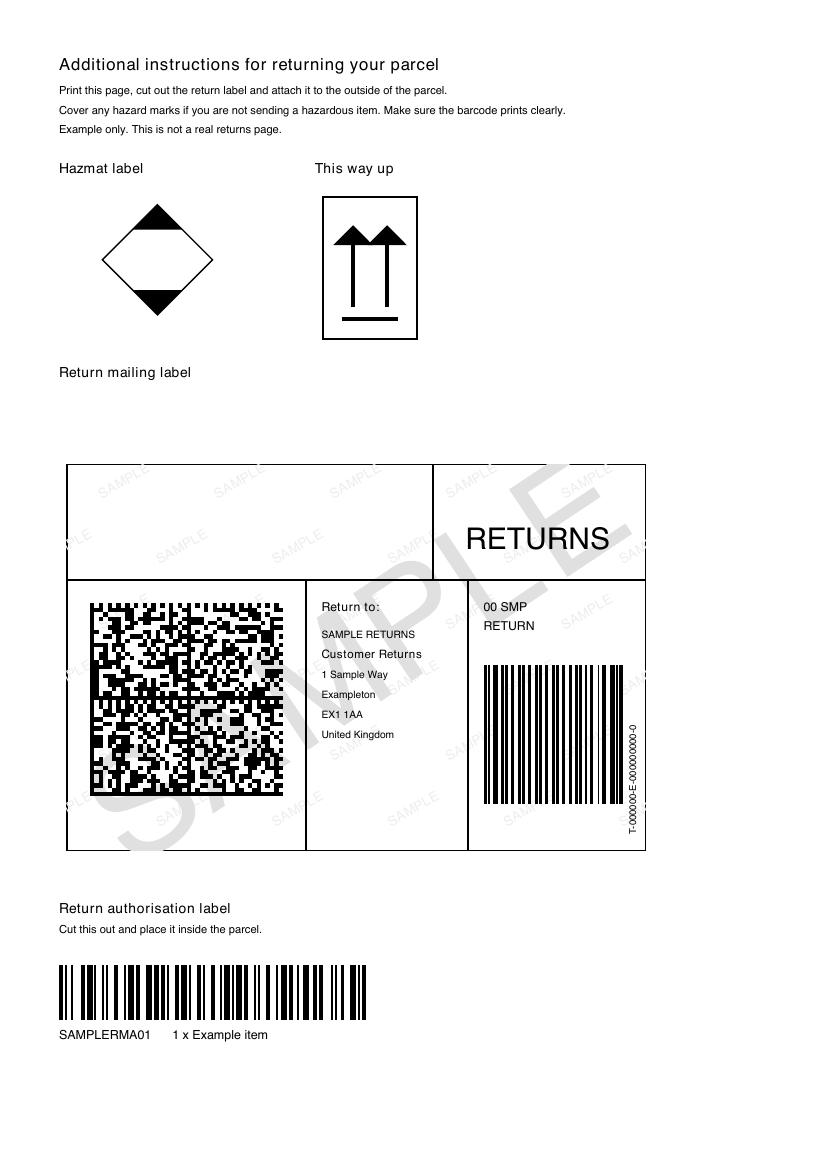
Before: label on an A4 page
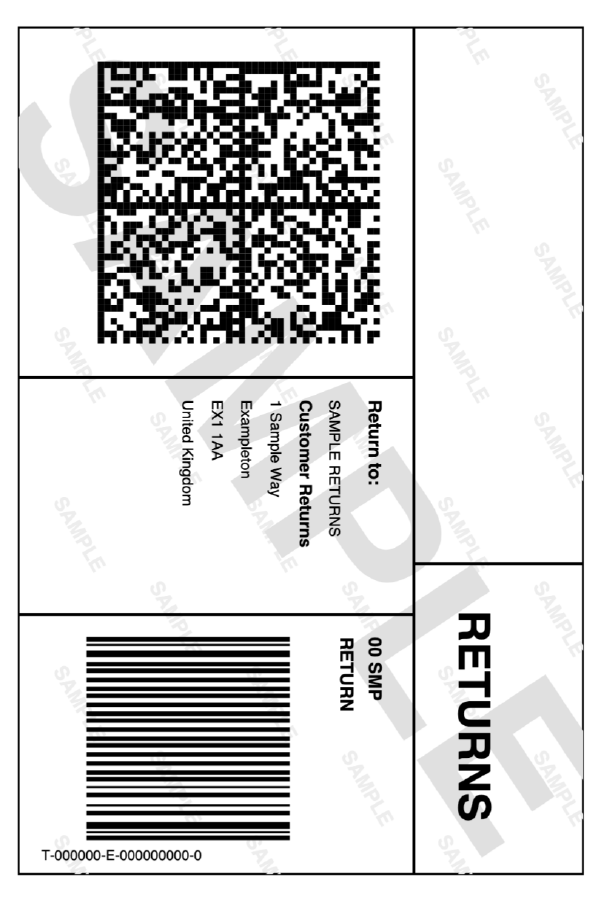
After: 6x4, ready to print
Labeltidy does not make hazard or lithium battery labels
Their design is set by regulation and your carrier's rules, with fixed sizes, wording and colours. Rules change, so always check your carrier's current rules before posting.
What it does with them
It recognises hazard and lithium battery marks on the same page as your shipping label and skips them by default so you do not waste a thermal label. In More settings you can print them on their own pages or combine them. It cannot create or redraw a mark, and it cannot tell you whether an item is allowed.
Where to check the rules
Start with your carrier's list of what can be sent, then the official guidance on lithium batteries.
What can I send (Post Office) · Lithium batteries (IATA) (both open in a new tab)
Questions
Can Labeltidy print a lithium battery label?
No. Use the label your carrier's rules require. Labeltidy can resize a shipping label that already includes one.
Does Labeltidy keep hazard marks on my label?
It recognises them, skips them by default, and can print them on their own pages or combine them if you change that in More settings.
Is it a substitute for checking carrier rules?
No. Always check your carrier's current rules before posting.
Are my labels uploaded anywhere?
No. Everything runs in your browser on your own device, so addresses and tracking numbers never leave it.